
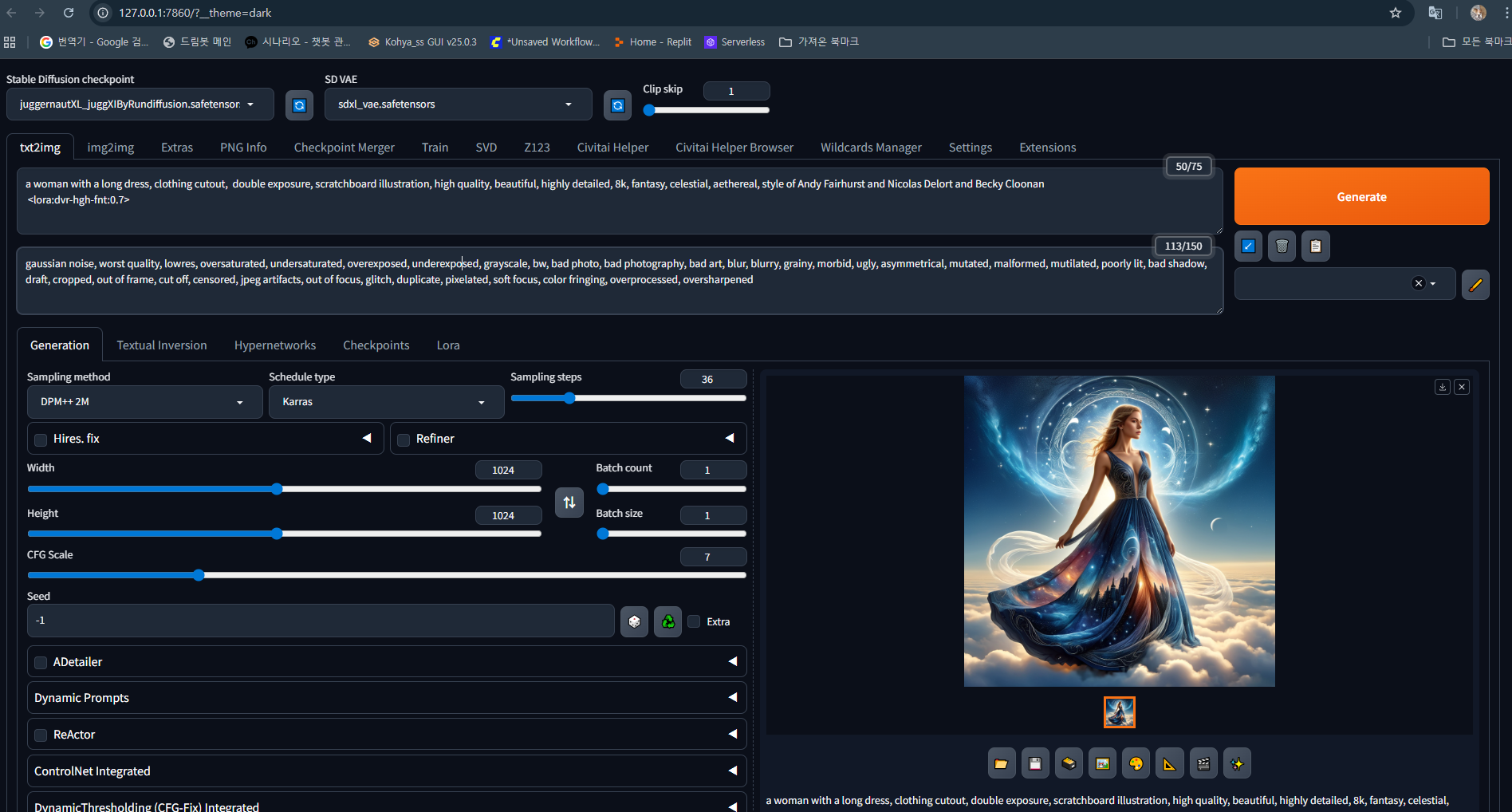
프롬프트 실험실에는 특정 체크 포인트에 로라 모델 적용과 기본 모델만 사용했을시 적용을 담아보았습니다.
사용한 체크 포인트는 많이들 사용 하는 모델인 sdxl기반인 juggernautXL. lora또한 sdxl용으로 사용합니다.sd1.5인경우
각각 맞는 모델을 찾으야 합니다.
사용한 긍정 프롬프트:
a woman with a long dress, clothing cutout, double exposure, scratchboard illustration, high quality, beautiful, highly detailed, 8k, fantasy, celestial, aethereal, style of Andy Fairhurst and Nicolas Delort and Becky Cloonan
긴 드레스를 입은 여성, 옷 조각, 이중 노출, 스크래치보드 일러스트레이션, 고품질, 아름다움, 고도로 세부화된, 8K, 판타지, 천상, 영적인, Andy Fairhurst와 Nicolas Delort, Becky Cloonan 스타일
사용한 부정 프롬프트:
gaussian noise, worst quality, lowres, oversaturated, undersaturated, overexposed, underexposed, grayscale, bw, bad photo, bad photography, bad art, blur, blurry, grainy, morbid, ugly, asymmetrical, mutated, malformed, mutilated, poorly lit, bad shadow, draft, cropped, out of frame, cut off, censored, jpeg artifacts, out of focus, glitch, duplicate, pixelated, soft focus, color fringing, overprocessed, oversharpened
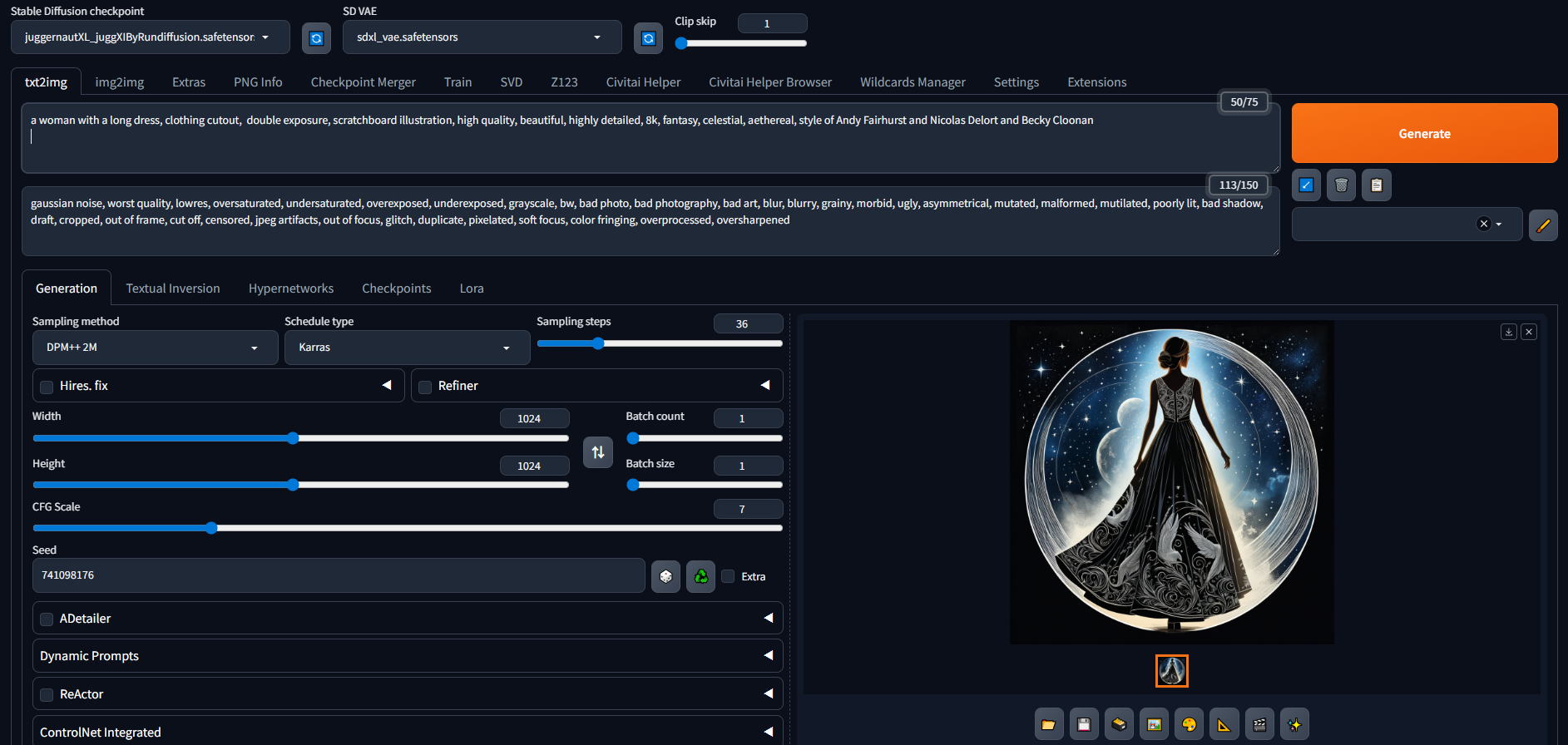

Stable Diffusion에는 txt2img,img2img 기능이 있습니다.
보통 이미지를 만들때는 텍스트2이미지, 이미지를 합성하거나 보정할때는 이미지2이미지를 사용합니다.
내가 받고 가지고 있는 check 와 lora를 보고싶을때는 아래처럼 탭으로 이동하시면 됩니다.
이미지 아래처럼 썸네일이나 설명을 보시고 싶으시면
Civitai helper 애드온을 설치하시면 됩니다.
설치 방법은extensions탭에서 주황색 load from 을 누르시면 아래처럼 애드온 설치가 가능해집니다.
Civitai helper를 찾으신후 인스톨하시고 리스타트해주시면 됩니다.
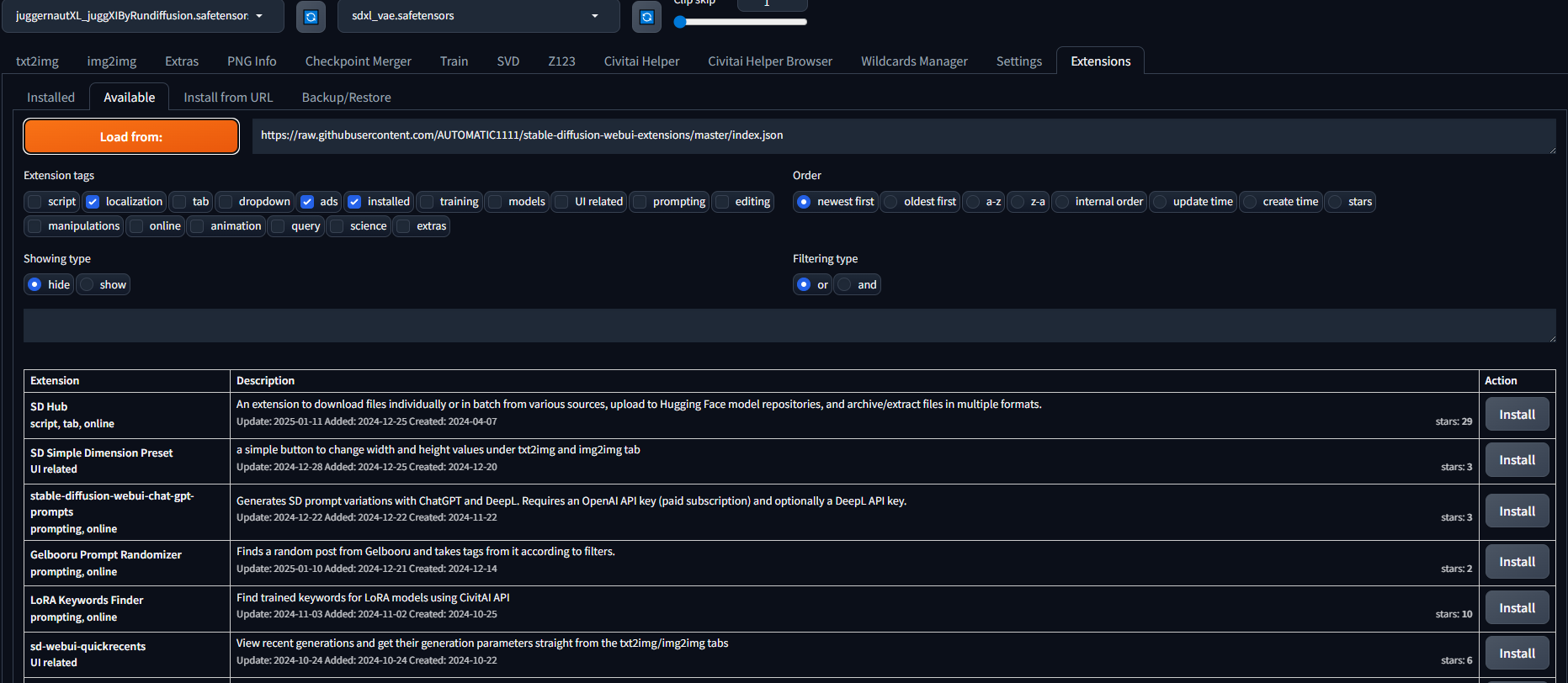
설치하시고 다시 실행 해주시면 탭란에 civitai helper라는 탭이 생깁니다.
그곳에서 스켄을 눌러주시면 이미지랑 위치등 가져옵니다.
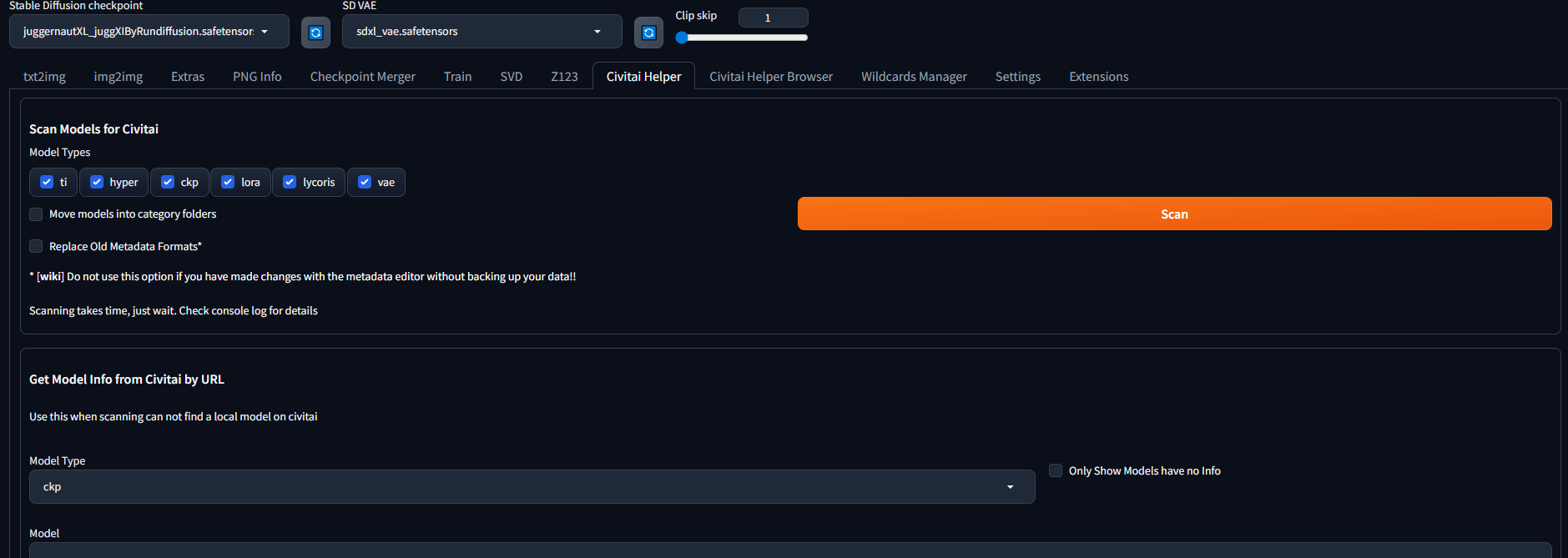
자신이 가지고 있는 스캔하실 것들을 체크해주시고 스캔을 누릅니다.

a woman with a long dress, clothing cutout, double exposure, scratchboard illustration, high quality, beautiful, highly detailed, 8k, fantasy, celestial, aethereal, style of Andy Fairhurst and Nicolas Delort and Becky Cloonan
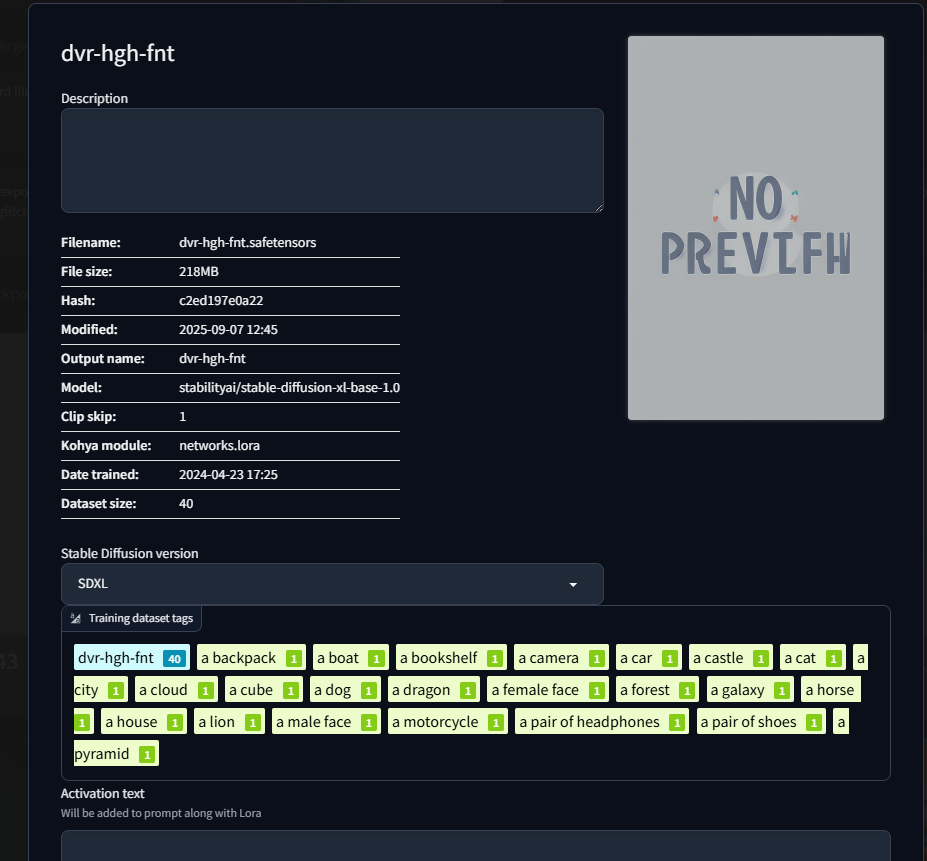
<lora:dvr-hgh-fnt:0.7>
가중이 0.7을 넣어봤습니다.
gaussian noise, worst quality, lowres, oversaturated, undersaturated, overexposed, underexposed, grayscale, bw, bad photo, bad photography, bad art, blur, blurry, grainy, morbid, ugly, asymmetrical, mutated, malformed, mutilated, poorly lit, bad shadow, draft, cropped, out of frame, cut off, censored, jpeg artifacts, out of focus, glitch, duplicate, pixelated, soft focus, color fringing, overprocessed, oversharpened

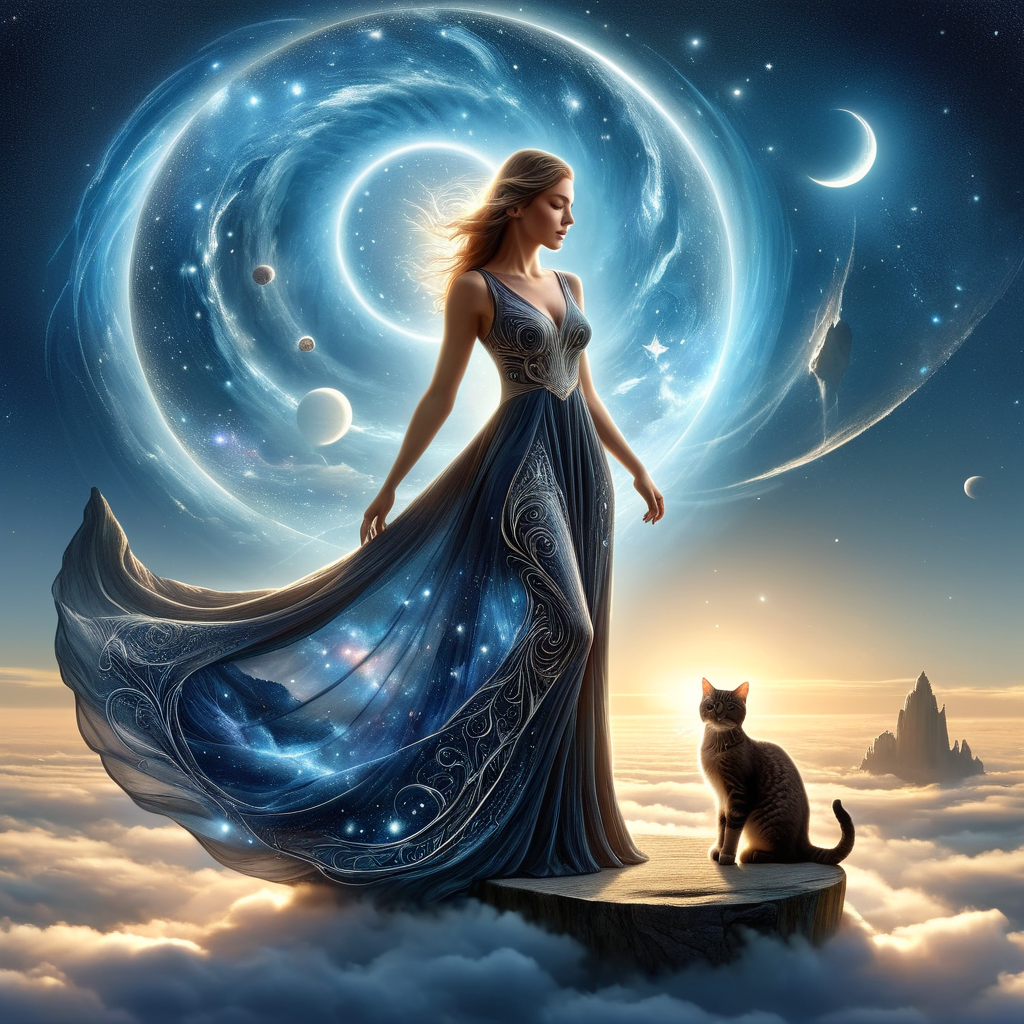
태그(트리거,캡션) 단어에 있는 고양이(with a cat)를 치면 학습된 고양이로 나오는걸 볼 수있습니다.
lora는 사용 모델에 따라 특정 부분,아이템들을 기본모델에 사용된걸 덧입히는 방식으로 새로 그려줍니다.
지금 같은 lora모델인경우 분위기를 전체적으로 바꾸어주는 모델이기에 서있는 사람을 거의 같은 포즈로 생성합니다.

체크포인트 모델이나 lora들은 많이 써보면 감이 오실거라 생각됩니다. 특정 체크포인트 같은경우 학습될때 가중치가 너무 강한
학습을 했다면 로라로 덥입힐때 그림이 잘나오는 경우도 있습니다. 그땐 다른 체크포인트를 쓰시던지 체크포인트를 학습시키거나 lora학습에 쓰는 kohyass를 써서 학습해보시는것도 좋을 듯합니다.
다음에 더 많이 연구해서 보여드리도록 할께요. 좋은 주말되세요.

'로라 프롬프트 실험실,lora prompt laboratory' 카테고리의 다른 글
| flux)AquarelleIV LoRA로 수채화풍 명작 만들기 (0) | 2025.09.20 |
|---|---|
| flux로 studio ghibli,지브리 스튜디오 스타일 lora (0) | 2025.09.15 |
| flux Neon Cyberpunk - Animals FLUX 를 이용한 사이버 펑크 스타일 고양이 (0) | 2025.09.13 |
| flux lora zyd232's Ink Style(잉크 스타일 로라) (0) | 2025.09.12 |
| FLUX Double Exposure Magic lora 사용전과 사용후 모습 (0) | 2025.09.12 |


